

Snapchat is a popular social media platform where users can share snaps and stories and engage with a global audience. If you want to grow your presence and allow more people to discover your content, creating a Public Profile on Snapchat is the way to go. This guide will walk you through the process, benefits, and key requirements for creating a Public Profile on Snapchat.
What is a Public Profile on Snapchat?
A Public Profile on Snapchat allows users to showcase their content beyond just their friends. With a Public Profile, you can:
- Gain more followers and visibility
- Have a bio and profile picture
- Feature your Lenses, Highlights, and Public Stories
- Allow people to subscribe to your content
Who Can Create a Public Profile on Snapchat?
To create a Public Profile, you need to meet the following conditions:
✔ Be at least 18 years old
✔ Have an active Snapchat account (older than 24 hours)
✔ Have at least one friend who has added you back
✔ Follow Snapchat’s community guidelines
How to Make a Public Profile on Snapchat (Step-by-Step Guide)
Step 1: Open Snapchat and Go to Your Profile

- Open the Snapchat app on your smartphone.
- Tap on your Bitmoji or profile icon in the top-left corner.
Step 2: Find ‘Create Public Profile’ Option

- Scroll down to ‘Public Profiles’ under the ‘Spotlight & Public Stories’ section.
- Tap on ‘Create Public Profile.’
Step 3: Follow the On-Screen Instructions
- Snapchat will show you the features of a Public Profile.
- Tap ‘Continue’ and then ‘Get Started’.
- Confirm by tapping ‘Create’.
Step 4: Customize Your Public Profile
Once your profile is set up, you can:
✅ Add a profile picture and bio
✅ Showcase highlights from your best stories
✅ Feature Lenses you’ve created
✅ Start posting Public Stories to engage with followers
Step 5: Share and Grow Your Public Profile
✔ Share your Snapcode or Profile Link on social media
✔ Post regularly on Spotlight & Stories to increase engagement
✔ Interact with your audience via DMs & comments
Example of a Public Profile on Snapchat
For instance, a travel blogger can create a Public Profile, share daily travel snaps, highlight past trips, and engage with followers through interactive stories.
Example Public Profile Features:
- Username: @TravelWithXXX
- Bio: “Exploring the world, one snap at a time! 🌍✈️”
- Story Highlights: Paris Trip, Beach Adventures, Food Tasting
- Public Stories: Daily travel experiences and Q&A sessions
FAQs About Making a Public Profile on Snapchat
1. Can I switch back to a private profile after making it public?
Yes, you can go to Profile Settings > Delete Public Profile to revert to a private account.
2. Why can’t I see the option to create a Public Profile?
If the option isn’t visible, ensure you:
✔ Are at least 18 years old
✔ Have an active account older than 24 hours
✔ Have at least one friend who added you back
3. Is a Public Profile on Snapchat free?
Yes, creating and maintaining a Public Profile on Snapchat is completely free.
4. Can I earn money from my Public Profile?
Yes, if your snaps appear in Spotlight, you may qualify for Snapchat’s Spotlight payments.
5. What’s the difference between a Public Profile and a Business Profile?
A Public Profile is for individuals looking to grow their audience, while a Business Profile includes analytics and ads for brands.
6. What is Snapchat+ and does it affect my Public Profile?
Snapchat+ is a paid subscription service that gives users access to exclusive features like:
- Custom app icons
- Priority Story Replies
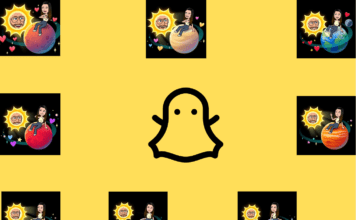
- Friend Solar System (Snapchat Planets)
By following this guide, you can successfully create and optimize your Public Profile on Snapchat, helping you reach a larger audience and grow your presence. 🚀
Related Blogs: